PST Customer Portal
ดูแลบ้านคุณ ทุกที่ทุกเวลา
PST Customer Portal
Manage Your Home, Anywhere
ระบบ Web App สำหรับลูกค้า PST ทุกคน — ติดตามโปรเจค แจ้งปัญหา ดูรับประกัน จัดการนัดหมาย และอ่านคู่มือ Home Assistant ฉบับสมบูรณ์ในที่เดียว ไม่ต้องดาวน์โหลดแอป A web app for every PST customer — track your project, raise tickets, check warranty, manage appointments, and read the full Home Assistant guide. No app download needed.
เราเข้าใจว่า
ความกังวลไม่ได้หยุดแค่วันติดตั้ง
We Know That
Your Peace of Mind Doesn't Stop at Install Day
Smart Home ที่ดีไม่ใช่แค่ระบบที่ทำงานได้ แต่คือระบบที่ทำให้คุณรู้สึกมั่นใจได้ตลอด ตั้งแต่วันแรกที่คุยกัน จนถึงวันที่คุณอยู่อาศัยจริง A great Smart Home isn't just one that works — it's one that makes you feel confident throughout, from the first conversation to everyday life years later.
โปร่งใสแค่ไหน What Am I
Actually Getting?
ต้องโทรถามเองทุกครั้ง Where Is My
Project Right Now?
ติดต่อใครได้บ้าง Something Broke —
What Do I Do?
ระบบที่ดีคือระบบที่คุณไม่ต้องกังวล — Portal คือสิ่งที่ทำให้มั่นใจได้ว่า PST โปร่งใสกับคุณในทุกขั้นตอน ไม่ใช่แค่วันที่จ้าง A great system is one you don't have to worry about — the Portal is how we make sure you can hold us accountable at every step, not just on day one.
ทุกสิ่งที่ลูกค้าต้องการ
ในแอปเดียว
Everything You Need
In One Place
PST Customer Portal ออกแบบมาให้ลูกค้าควบคุมและติดตามระบบ Smart Home ของตัวเองได้อย่างเต็มรูปแบบ โดยไม่ต้องรอถามทีมงาน PST Customer Portal is designed to give customers full control over their Smart Home system without needing to contact our team for every question.
รู้ทุกอย่างเกี่ยวกับบ้าน
ตั้งแต่เปิดแอป
Know Everything About Your Home
From the Moment You Open the App
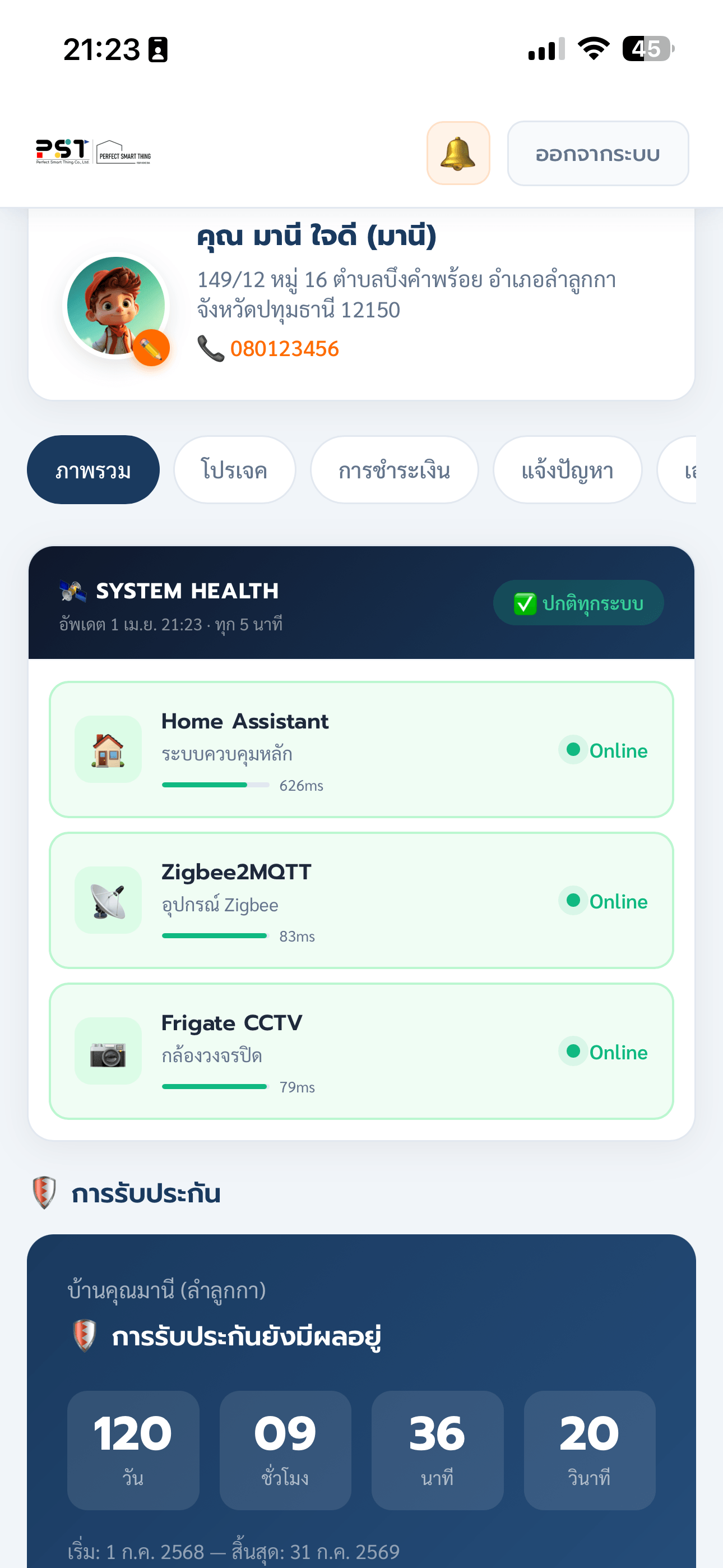
หน้าแรกของ Portal แสดงสิ่งสำคัญที่สุดทั้งหมดในที่เดียว ตั้งแต่การนับถอยหลังอายุรับประกัน ไปจนถึงสถานะระบบแบบ Real-time The portal home screen shows everything that matters in one place — from warranty countdown to real-time system health.
- ✓Warranty CountdownWarranty Countdown — นับถอยหลัง วัน/ชั่วโมง/นาที พร้อมแจ้งเตือนเมื่อใกล้หมดอายุDays/hours/minutes countdown with expiry alerts.
- ✓Live Health MonitorLive Health Monitor — ตรวจสอบ HA Server, Zigbee2MQTT, Frigate CCTV ทุก 5 นาทีอัตโนมัติAuto-checks HA Server, Zigbee2MQTT, and Frigate CCTV every 5 minutes.
- ✓Response TimeResponse Time — แสดง ms ของแต่ละ Service เพื่อบ่งบอกความเร็วระบบShows millisecond latency for each service so you can monitor performance.
- ✓นัดหมายล่าสุดUpcoming Appointments — เห็นนัดหมายเข้าหน้างานที่กำลังจะมาถึงทันทีSee upcoming on-site visits at a glance.
- ✓Renewal AlertRenewal Alert — คำนวณและแสดงราคาต่ออายุสัญญาบำรุงรักษาอัตโนมัติAuto-calculates and displays maintenance contract renewal pricing.
ดูการชำระเงิน
ได้ทุกงวด ทุกเมื่อ
Track Every Payment
Installment, Anytime
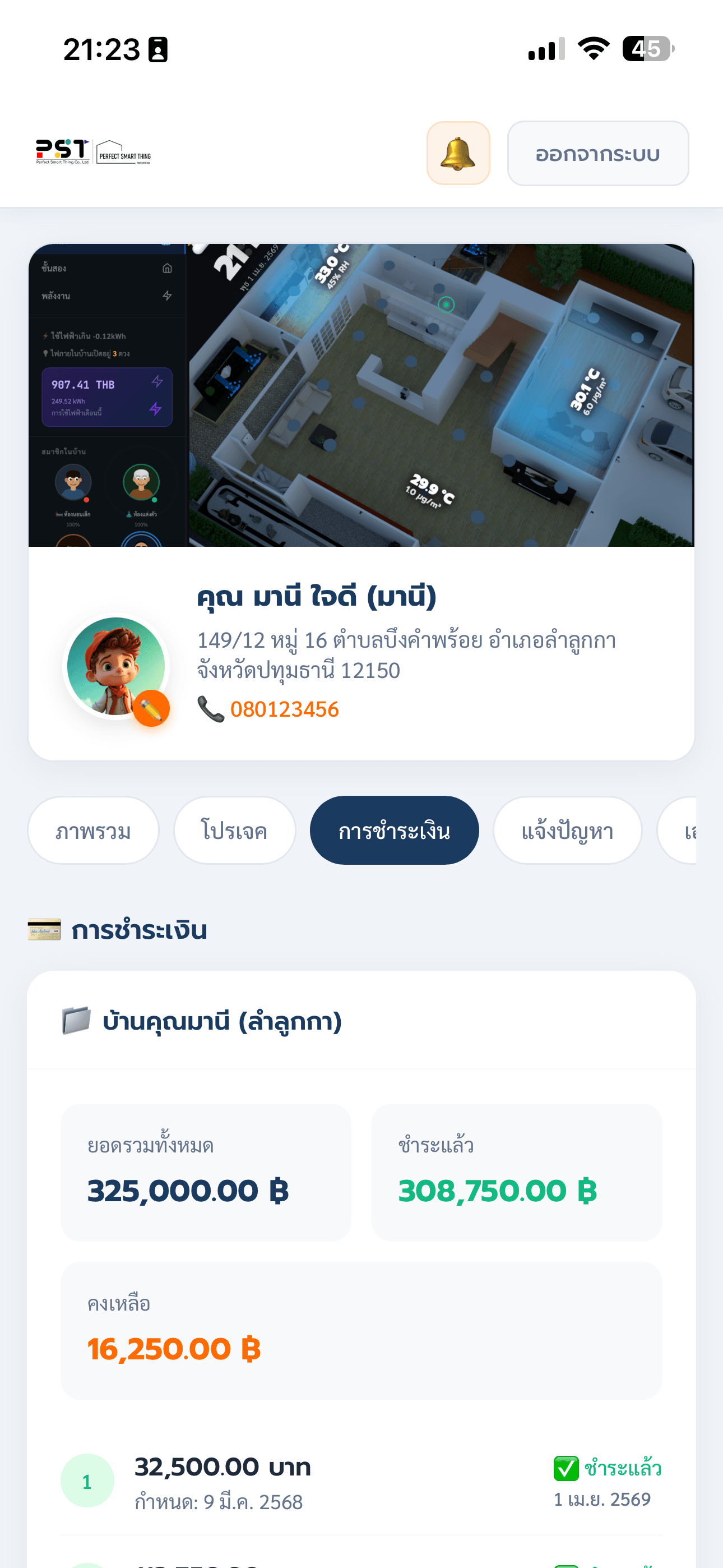
โปร่งใสทุกขั้นตอน ลูกค้าเห็นยอดรวม ยอดที่จ่ายไปแล้ว งวดที่เหลือ และวันครบกำหนดของแต่ละงวด Full transparency — see total, paid amount, remaining installments, and each due date clearly.
- ✓Summary CardSummary Card — ยอดรวม / ชำระแล้ว / คงเหลือ / % ความคืบหน้าTotal / Paid / Remaining / Progress % in one card.
- ✓ตารางงวดInstallment Table — เห็นทุกงวดพร้อมสถานะ "ชำระแล้ว" หรือ "รอชำระ" ชัดเจนEvery installment shown with "Paid" or "Pending" status clearly.
- ✓วันครบกำหนดDue Dates — ระบุวันที่แต่ละงวดชำระแล้ว หรือวันครบกำหนดที่ต้องจ่ายShows exact payment date or upcoming due date per installment.
- ✓Multi-ProjectMulti-Project — ถ้ามีหลายโปรเจคจะแสดงแยกกันชัดเจนMultiple projects displayed separately and clearly.
แจ้งปัญหาง่าย
ติดตามได้ทุกขั้นตอน
Raise Issues Instantly
Track Every Step
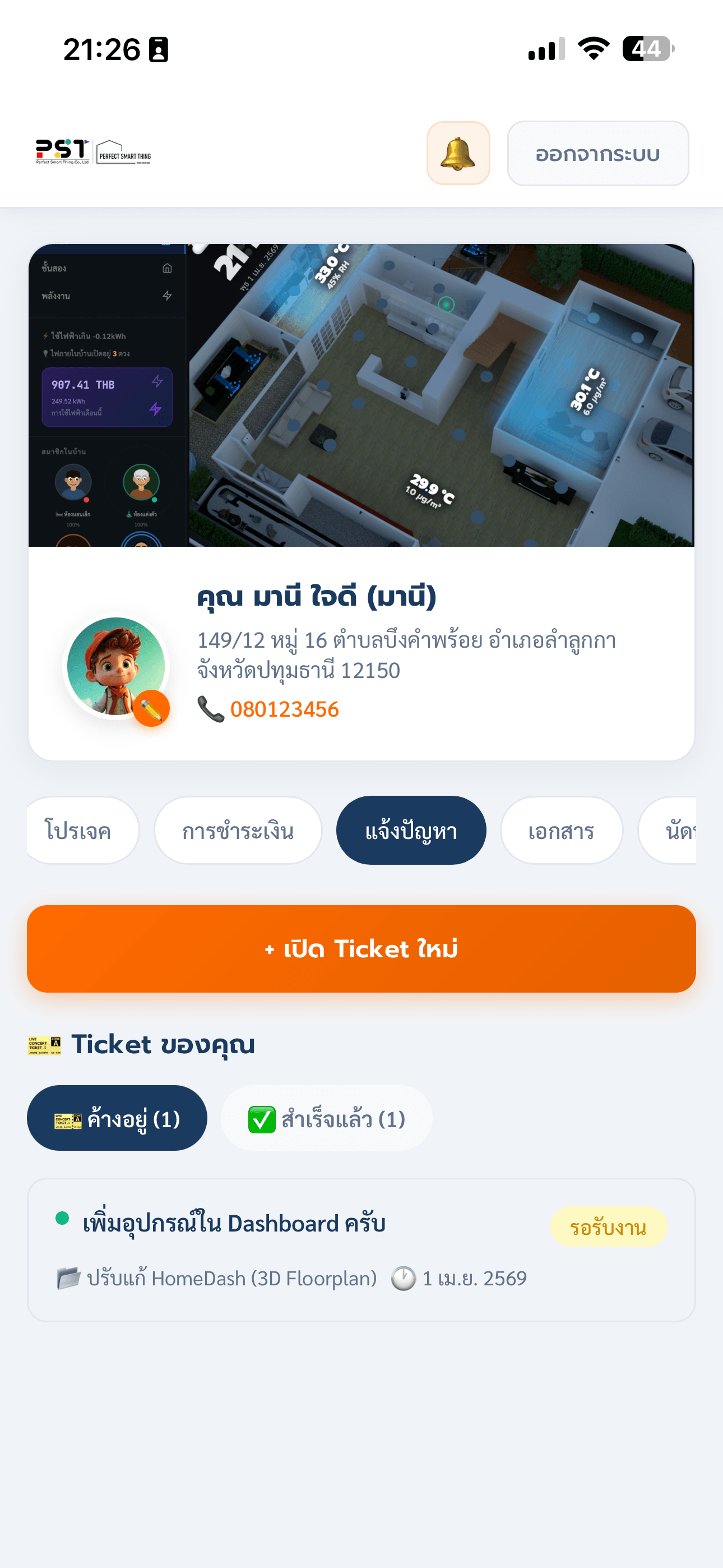
ระบบ Ticket พร้อม SLA ที่กำหนดไว้ชัดเจนในแต่ละ Priority — ลูกค้าแจ้งปัญหาได้ทันที พร้อมแนบรูปภาพ และทีมงานต้องตอบกลับภายในเวลาที่กำหนด Ticketing system with clearly defined SLA per priority level — raise issues instantly with photo attachments, and our team responds within guaranteed timeframes.
- ✓แนบรูปภาพหลายรูปMulti-photo Attachments — อัปโหลดรูปอาการปัญหา ช่วยให้ทีมงานเข้าใจเร็วขึ้นUpload problem photos to help the team diagnose faster.
- ✓Chat ในเธรดเดิมIn-thread Chat — ทีมงานและลูกค้าคุยกันในเธรดเดิม ย้อนดูได้ทุกเมื่อTeam and customer chat in the same thread — history always accessible.
- ✓Push NotificationPush Notification — ได้รับแจ้งเตือนทันทีที่ทีมงานตอบกลับInstant notification when team replies.
เอกสารทุกชิ้น
พร้อมดาวน์โหลดทันที
Every Document
Ready to Download
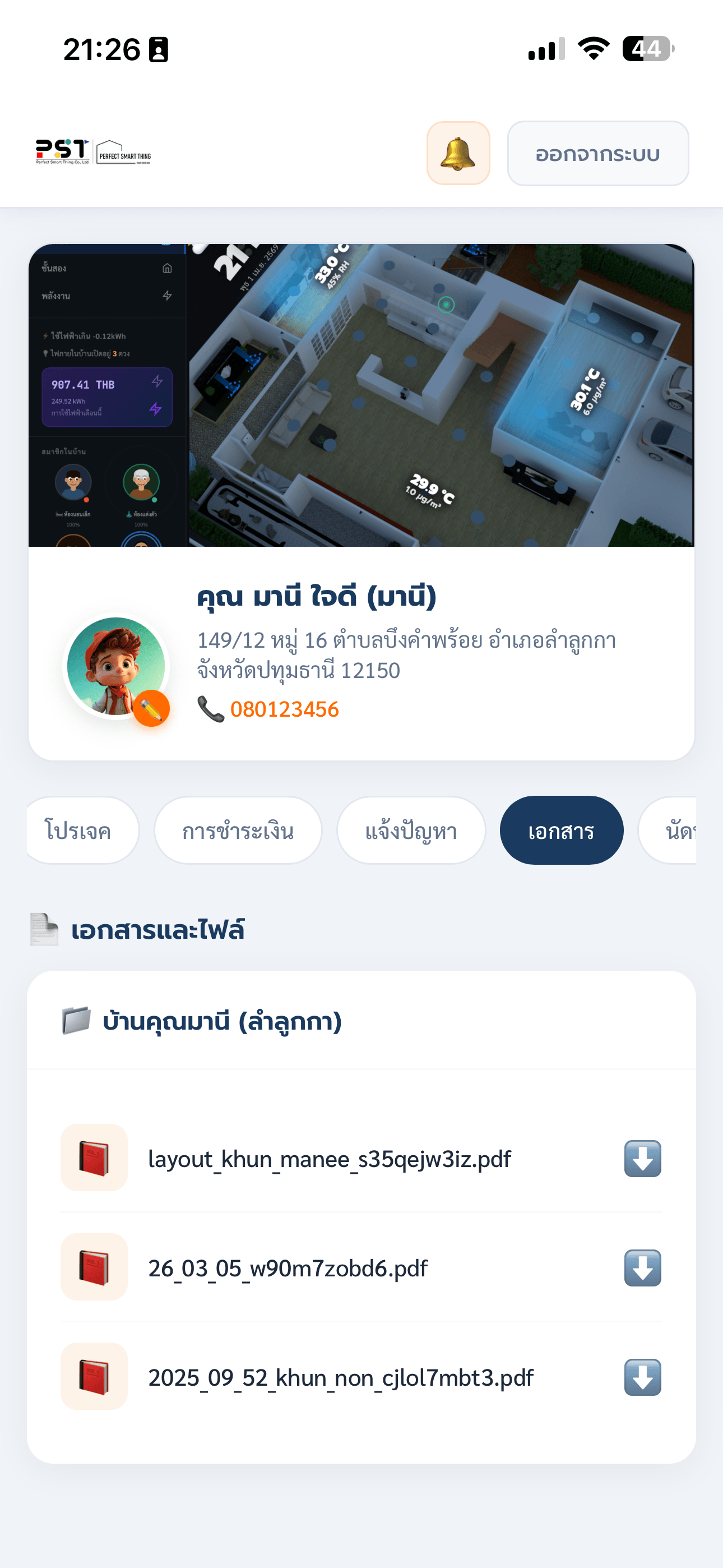
ไฟล์ทุกอย่างที่เกี่ยวกับโปรเจคของคุณถูกจัดเก็บไว้ในที่เดียว ไม่ต้องขอทาง Email หรือ Line อีกต่อไป Every file related to your project is stored in one place. No more requesting documents via Email or Line.
- ✓เอกสารโปรเจคProject Documents — ใบเสนอราคา, แบบแปลน, สเปคอุปกรณ์Quotes, floor plans, device specifications.
- ✓ไฟล์จากทีมงานFiles from Team — ทีมงาน Upload ไฟล์ให้ลูกค้าโดยตรงผ่านระบบTeam uploads files directly to your portal account.
- ✓ดาวน์โหลดได้ทันทีInstant Download — ไม่ต้องรอ ไม่ต้องขอ ดาวน์โหลดได้ตลอดเวลาNo waiting, no requesting — download anytime.
- ✓แยกตามโปรเจคPer-Project Organization — ถ้ามีหลายบ้าน ไฟล์ถูกแยกแยะชัดเจนMultiple projects kept separate and organized.
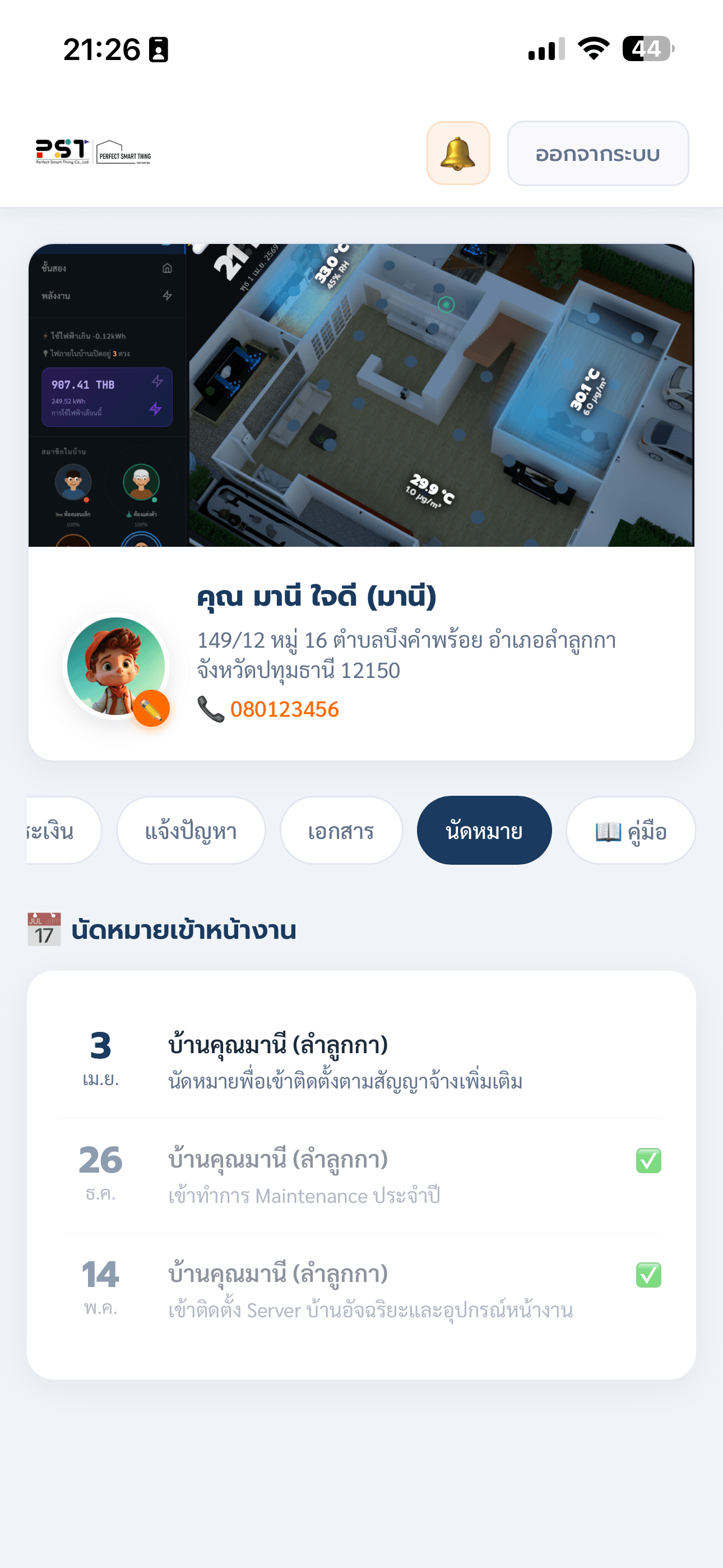
รู้ก่อนทีมงานมา
ทุกนัดหมายมีแจ้งเตือน
Know Before the Team Arrives
Every Appointment Notified
ทีมงาน PST สร้างนัดหมายเข้าหน้างานในระบบ แอปแจ้งเตือนลูกค้าอัตโนมัติ ไม่มีนัดหมายที่ตกหล่น PST team creates on-site appointments in the system, and the app automatically notifies customers. No appointment is ever missed.
- ✓Push Notification อัตโนมัติAuto Push Notification — แจ้งเตือนทันทีเมื่อมีนัดหมายใหม่Instant notification when a new appointment is created.
- ✓ดูรายละเอียดครบFull Details — วันที่ เวลา ชื่อทีมงาน และหมายเหตุการเข้างานDate, time, team member name, and on-site notes.
- ✓ประวัตินัดหมายAppointment History — ดูนัดหมายทั้งหมดย้อนหลังได้ในแอปView all past appointments in the app.
- ✓หลายโปรเจคMulti-Project — นัดหมายแต่ละโปรเจคแสดงแยกกันชัดเจนAppointments displayed separately per project.
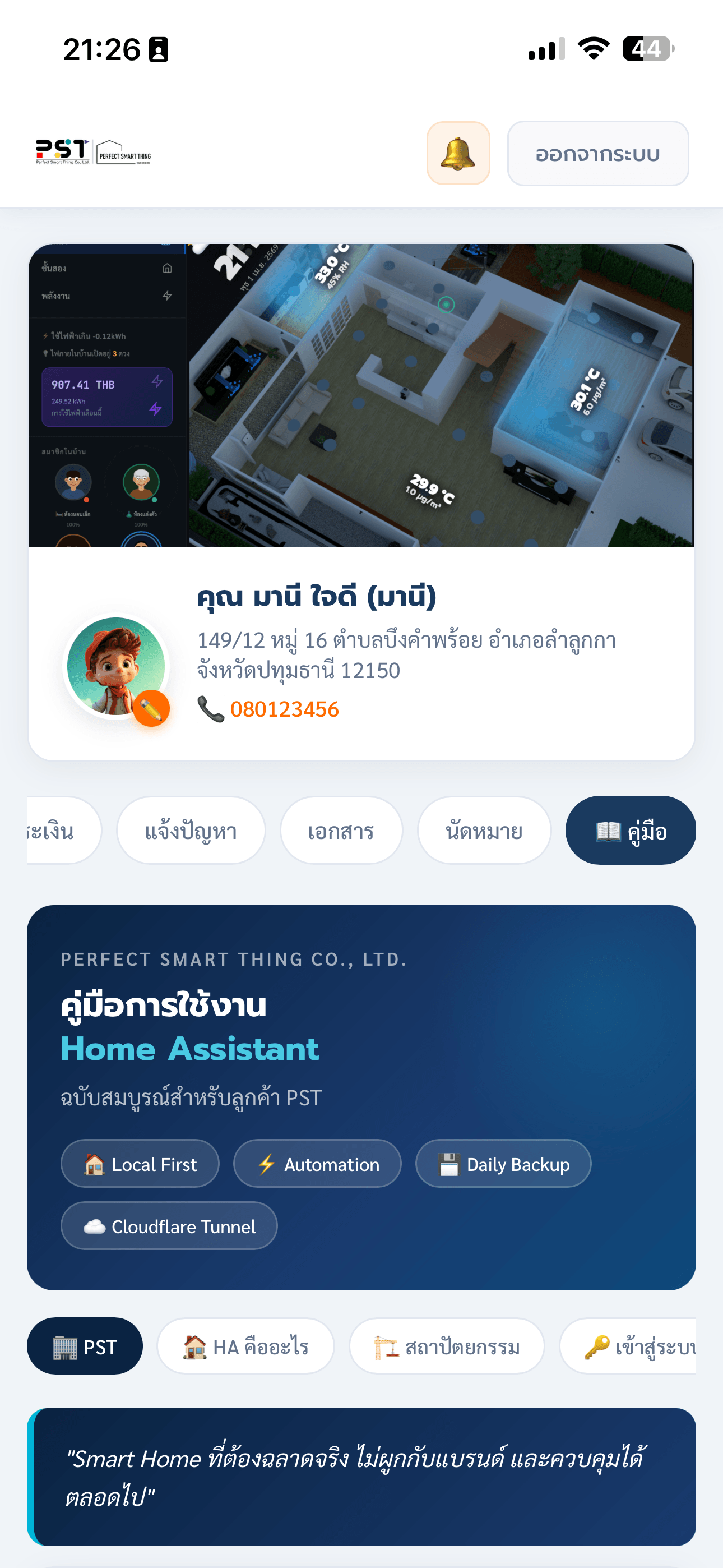
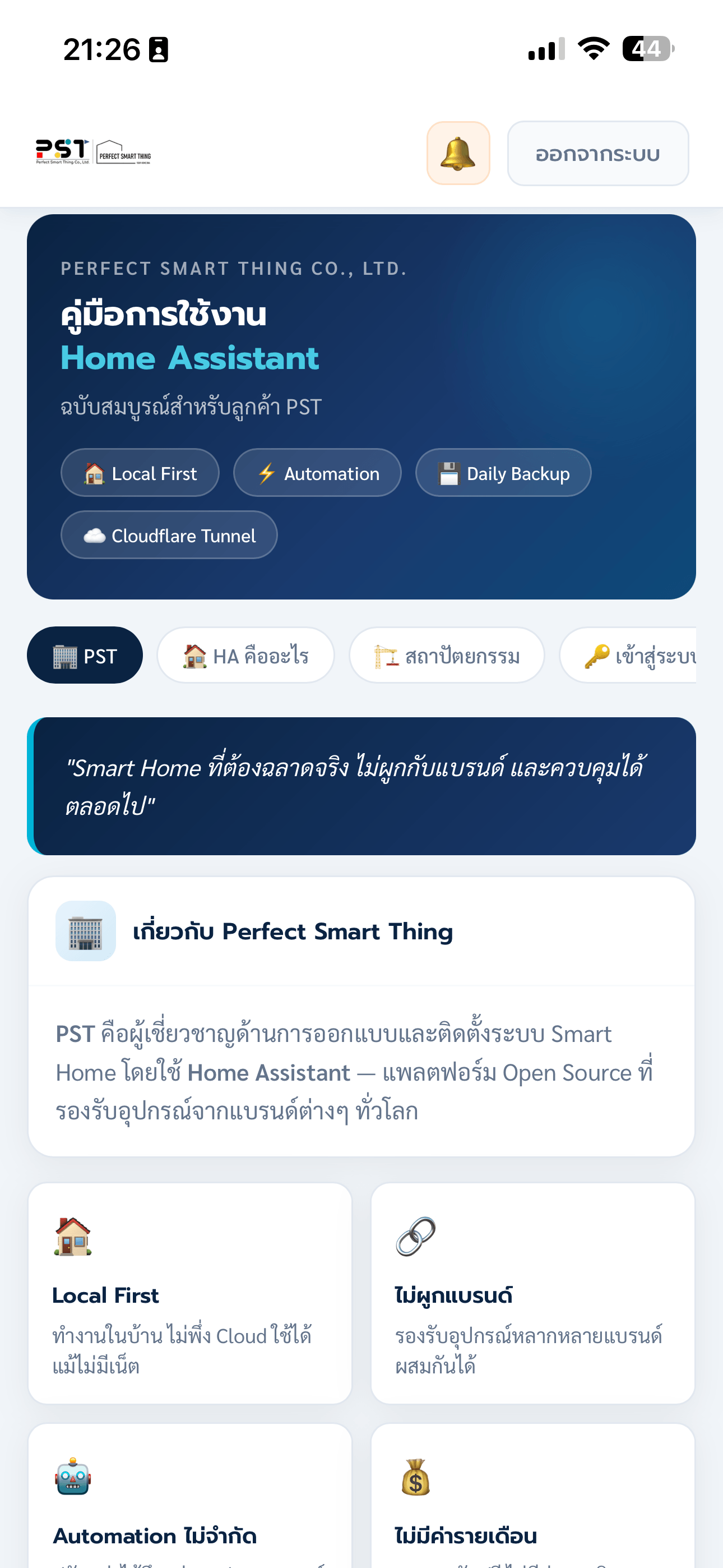
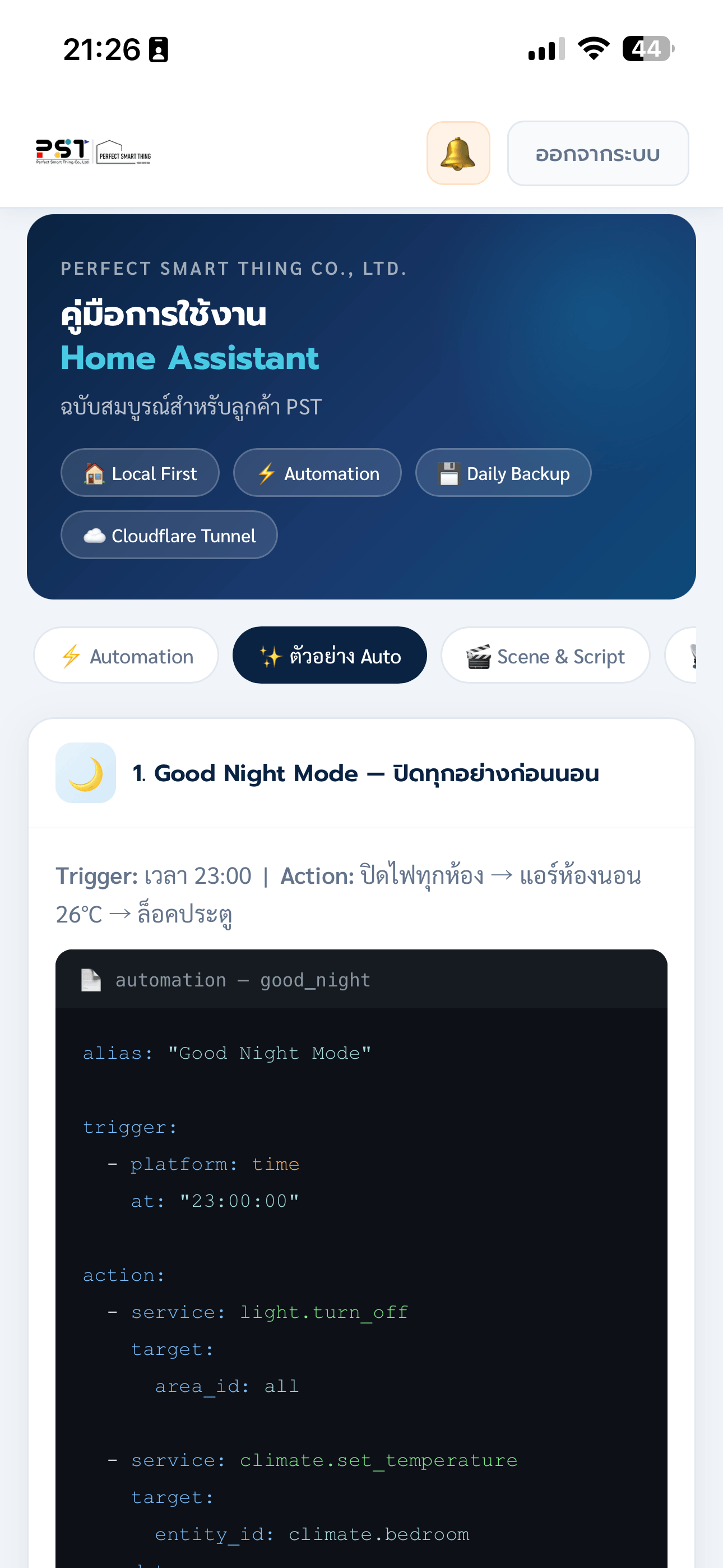
คู่มือ Home Assistant
ฉบับสมบูรณ์ในแอป
Complete Home Assistant Guide
Built Right Into the App
ไม่ต้องหาข้อมูลจากที่อื่น คู่มือครบ 17+ บท พร้อมวิดีโอสอน ออกแบบสำหรับลูกค้า PST โดยเฉพาะ ตั้งแต่พื้นฐานจนถึงการตั้งค่าขั้นสูง No need to search elsewhere. 17+ chapters with instructional videos, designed exclusively for PST customers — from basics to advanced configuration.
(เสียบไฟPowered)
(แบตเตอรี่Battery)
PST Portal vs
แอปของแบรนด์ทั่วไป
PST Portal vs
Generic Brand Apps
ดูว่า PST Portal ให้ลูกค้าได้มากกว่าแอปของแบรนด์ Smart Home ทั่วไปอย่างไร See how PST Portal gives customers far more than any standard Smart Home brand app.
| ฟีเจอร์Feature | 🏠 PST Portal | แอปแบรนด์ทั่วไปGeneric Brand App |
|---|---|---|
| ดูอายุรับประกันแบบ CountdownWarranty countdown timer | ✓ แบบ Real-timeReal-time | ✗ ไม่มีNone |
| ตรวจสถานะระบบ (Health Monitor)System health monitor | ✓ HA + Zigbee + CCTV | ✗ ไม่มีNone |
| ดูงวดการชำระเงินPayment installment tracking | ✓ ทุกงวด ทุกโปรเจคEvery installment, every project | ✗ ไม่มีNone |
| แจ้งปัญหา / Support Ticket + SLASupport ticket + SLA | ✓ พร้อมแนบรูป + SLA ชัดเจนPhoto attachments + clear SLA | ✗ ต้องโทรหรือ LINECall or LINE only |
| Push Notification จากทีมงานPush notifications from team | ✓ iOS & Android | ⚠️ เฉพาะบางแบรนด์Some brands only |
| ดูเอกสารโปรเจคProject document access | ✓ ดาวน์โหลดได้ทันทีInstant download | ✗ ต้องขอทาง EmailMust request via Email |
| ดูนัดหมายเข้าหน้างานOn-site appointment tracking | ✓ แจ้งเตือนอัตโนมัติAuto notification | ✗ ไม่มีNone |
| คู่มือ Home AssistantHome Assistant guide | ✓ 17+ บท + วิดีโอchapters + video | ✗ ไม่มีNone |
| รองรับหลายโปรเจคMultiple project support | ✓ ไม่จำกัดUnlimited | ✗ 1 บ้านต่อ 1 แอป1 home per app |
ปลอดภัย ตั้งแต่
การ Login ถึงข้อมูล
Secure From
Login to Data
PST Portal ใช้มาตรฐานความปลอดภัยระดับองค์กรทุกขั้นตอน PST Portal applies enterprise-grade security standards at every layer.
สนใจติดตั้ง Smart Home
และใช้งาน Portal?
Interested in Smart Home
with Full Portal Access?
ลูกค้าทุกคนที่ติดตั้งระบบกับ PST จะได้รับ Access ไปยัง Customer Portal ทันที พร้อม Onboarding และอธิบายการใช้งานครบถ้วนโดยทีมงาน Every customer who installs with PST gets immediate portal access, with full onboarding and a walkthrough from our team.